

The standard WooCommerce product grid is a good starting point for many online stores.
It works well when you have a small number of products, strong product images, and customers who are happy to browse visually.
But not every WooCommerce store works that way.
If your customers need to search, sort, compare, filter, or quickly scan a larger product catalogue, a table layout can make the buying experience much easier.
That’s why WooCommerce product tables are now built directly into Data Tables Generator by Supsystic.
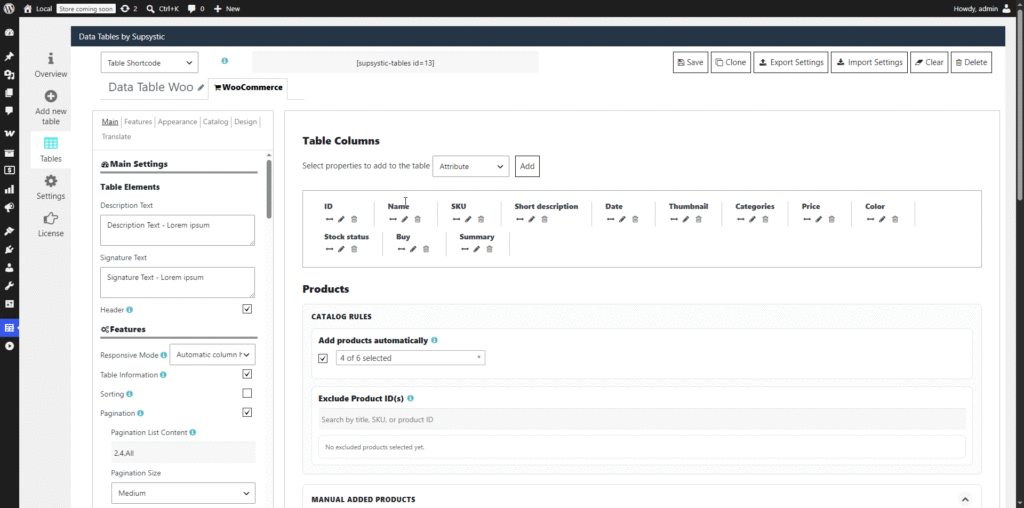
You can now create searchable, sortable, filterable, and responsive WooCommerce product tables from inside the same plugin you already use to build powerful WordPress tables.

What Is a WooCommerce Product Table?
A WooCommerce product table displays your store products in a structured table layout instead of the standard WooCommerce product grid.
Rather than showing products only as individual product cards, a product table can display important product information in rows and columns.
This can make it easier for customers to find products, compare details, check prices, view attributes, and make purchasing decisions faster.
A WooCommerce product table is especially useful when your customers already know what they are looking for, or when product details matter more than large images.
Why Use a WooCommerce Product Table Instead of the Standard Product Grid?
The standard WooCommerce shop layout is built for browsing.
A WooCommerce product table is built for finding, comparing, filtering, and ordering.
That makes product tables useful for stores where customers need to work through a lot of information quickly.
For example, a product table can help shoppers compare:
- Product names
- Prices
- Categories
- Attributes
- Variations
- Product details
- Stock or availability information
- Reviews
- Tags
- Ordering options
Instead of scrolling through product cards one by one, customers can view your products in a clean, structured table and find the right item faster.
Best Uses for WooCommerce Product Tables
WooCommerce product tables are useful for many different types of online stores and product displays.
You can use them to create:
- WooCommerce product catalogues
- WooCommerce wholesale order forms
- Product price lists
- Product comparison tables
- Parts lists
- Restaurant or menu-style product displays
- B2B product directories
- Technical product lists
- Large catalogues with many similar products
- Simple ordering pages for repeat customers
This is especially helpful when customers need to compare several products at once, search through a long list, or place orders quickly without clicking through multiple product pages.
Create WooCommerce Product Catalogues
A WooCommerce product table is a practical way to create a clear product catalogue inside WordPress.
Instead of relying only on image-heavy product grids, you can show products in a searchable and sortable catalogue format.
This can work well for stores that sell technical products, spare parts, supplies, equipment, digital products, or large product ranges where customers need to compare options before buying.
For stores with many similar items, a WooCommerce product catalogue table can make the shopping experience faster and more organised.
Build WooCommerce Wholesale Order Forms
Product tables can also be useful for wholesale stores and B2B ordering pages.
Wholesale buyers and repeat customers often want to move quickly. They may already know the product names, product codes, categories, or specifications they need.
A table layout can help those customers search, compare, and order more efficiently than a standard WooCommerce grid.
For stores with repeat buyers, a WooCommerce product table can reduce unnecessary clicks and create a faster ordering experience.
Multiple add-to-cart support can also help customers purchase several products at once, which is especially useful for wholesale orders, bulk purchasing, and repeat ordering workflows.
Create Product Comparison Tables
If your store has products with similar features, a product table can help customers compare them more easily.
You can use a table layout to show important product information in one place, including names, prices, categories, attributes, stock details, reviews, tags, or other product data.
This can be useful for products where customers need to compare specifications, options, or features before making a decision.
Now a More Complete WooCommerce Product Table Builder
WooCommerce Product Tables in Data Tables Generator are designed to do more than simply list products in rows and columns.
You can create searchable, sortable, filterable, and responsive WooCommerce product tables that help customers browse large product catalogues, compare product details, and place orders more efficiently.
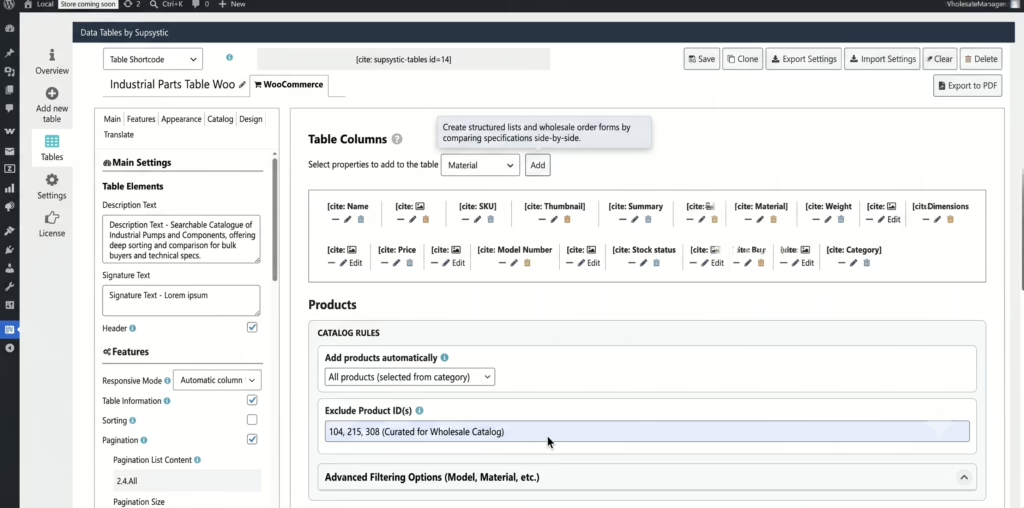
Depending on your store setup, you can build product tables automatically from selected catalogue rules or manually choose the exact products you want to display.
This gives you flexibility for different use cases, including full product catalogues, curated product lists, wholesale order forms, price lists, B2B ordering pages, and product comparison tables.
Now Available Inside Data Tables Generator
When WooCommerce is active on your website, Data Tables Generator now gives you the option to create a dedicated WooCommerce Product Table.
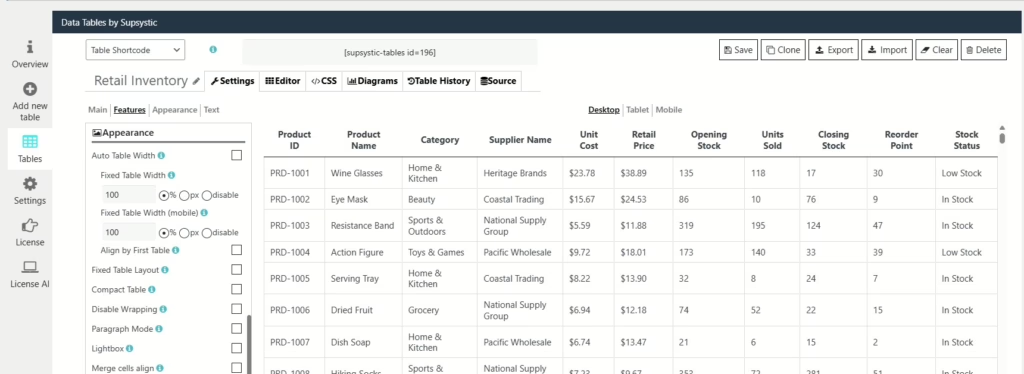
This means you can manage regular data tables and WooCommerce product tables from one familiar plugin.
You do not need to write code.
You do not need to leave WordPress.
And you do not need to install a separate product table plugin just to display your WooCommerce products in a table layout.
What’s Included in the Free Version?
The free version of Data Tables Generator now includes core WooCommerce Product Table features, so you can start building product tables right away.
Free users can:
- Manually assign products to a table
- Enable column sorting
- Choose a loader style
- Customise the loader icon colour
This gives WooCommerce store owners a simple way to create their first product table and see whether a table layout helps customers browse, compare, and order more easily.
What Does Data Tables Generator PRO Add?
For larger stores, advanced WooCommerce catalogues, or more polished product table layouts, Data Tables Generator PRO gives you much more control.
With PRO, you can create more flexible WooCommerce product tables using features such as:
- Automatic product tables based on selected categories
- Manual product selection for curated product lists
- Product exclusions
- Product variation display
- Private product display when needed
- Attribute columns, such as colour, size, or other WooCommerce attributes
- Category, stock status, price, column list, and attribute filters
- Price filters with from-to fields or slider filtering
- Global search and individual column search
- Search by visible or hidden fields
- Strict search matching and minimum search character controls
- Drag-and-drop column ordering
- Custom column titles, widths, alignment, visibility, responsive visibility, and sorting behaviour
- Responsive mode with automatic column hiding for mobile devices
- Server-side processing for larger product tables
- Pagination with custom page length options
- Multiple add-to-cart and checkout button support for faster bulk purchasing
- Custom thumbnail sizes
- Frontend table export, including PDF export options
- Custom styling for typography, colours, buttons, borders, filters, loaders, hover states, and table presets
- Translation controls for labels, placeholders, pagination text, filters, availability, checkout, and add-to-cart text
These features are especially useful when you have a larger WooCommerce product catalogue and need more control over which products appear, how customers search and filter them, how the table looks, and how it behaves on mobile devices.
Advanced Features for Larger WooCommerce Product Tables
As your WooCommerce store grows, product tables need to do more than display a simple list of products.
Large catalogues often need stronger filtering, faster searching, better mobile layouts, and more control over which product information appears.
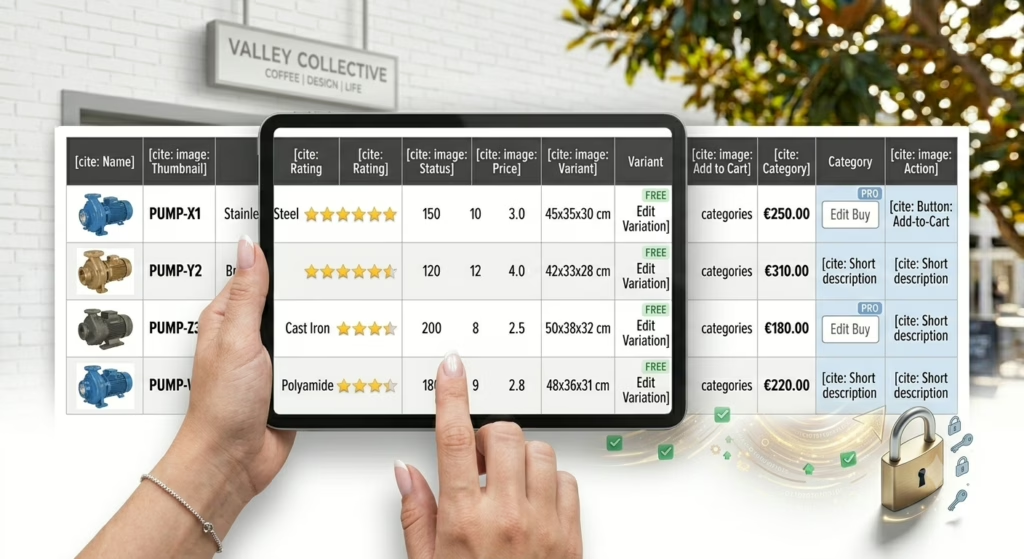
Data Tables Generator supports advanced WooCommerce product table features such as server-side processing for larger tables, responsive column hiding for mobile users, attribute-based filtering, stock and price filters, and custom table styling.
You can also customise important store actions, including Add to Cart, Checkout, and Reset Filters buttons, so the table fits more naturally into your WooCommerce buying process.
For stores where customers order several products at once, multiple add-to-cart support can help reduce clicks and make bulk purchasing faster.
Product Tables Can Make Shopping Faster
Product tables are not the right layout for every store.
If your products are highly visual, the standard WooCommerce grid may still be the best option for your main shop page.
But when customers need to compare products quickly, a table can be much more practical.
A WooCommerce product table can reduce unnecessary clicking, make product information easier to scan, and help customers find the item they need faster.
That can be useful for wholesale buyers, repeat customers, technical buyers, business customers, or anyone ordering from a larger catalogue.
Fewer Plugins. Simpler Workflow.
This update makes Data Tables Generator more useful for WooCommerce store owners.
Instead of managing a separate WooCommerce product table plugin, you can now create product tables inside Data Tables Generator.
That means fewer moving parts, less plugin clutter, and a simpler workflow for building product catalogues, price lists, comparison tables, and ordering layouts inside WordPress.
Try WooCommerce Product Tables Today
If you already use Data Tables Generator, update the plugin and try the new WooCommerce Product Table option.
If you are using the free version, you can start with the core product table features today.
If you need more advanced WooCommerce controls, Data Tables Generator PRO gives you the extra flexibility needed for larger stores, custom layouts, filtering, styling, responsive product tables, and bulk ordering workflows.
Create better WooCommerce product catalogues, build cleaner product layouts, and help your customers find the right products faster with Data Tables Generator by Supsystic.