A good pricing table does one job: it helps a visitor pick a plan and click. The examples below show how that works for software, agencies, gyms, coffee subscriptions, online courses, yoga studios, caterers, travel companies, Black Friday sales and developer APIs. Each one is a real pricing table built in WordPress with Data Tables Generator by Supsystic, with a note on why it converts and how to build it.
All brands, prices and plans in the examples are made up for the demo.
What makes a pricing table convert
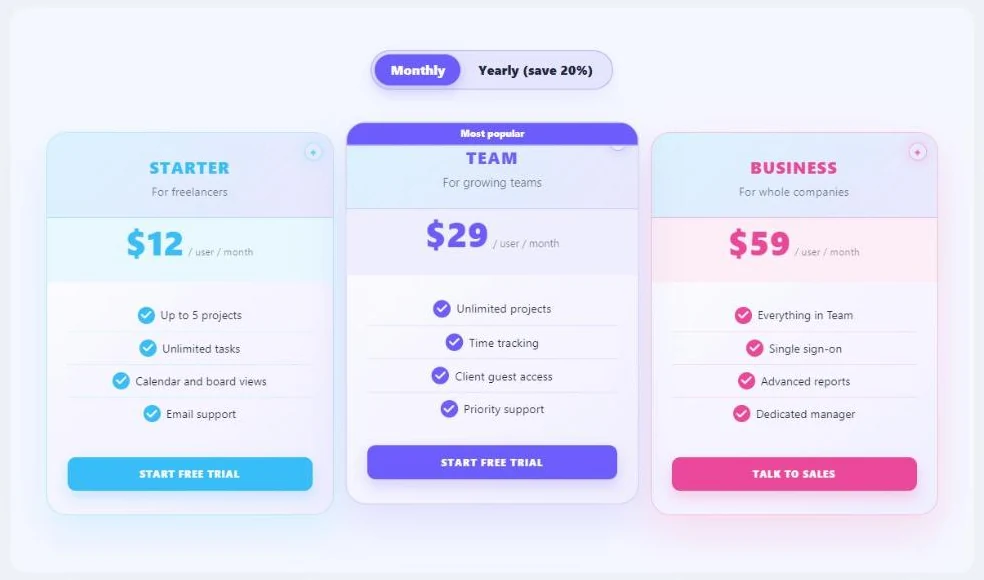
- Three plans, one highlighted. Most people pick the middle option when it is clearly marked as the favourite.
- Plain plan names and a line about who each plan is for. “For growing teams” does more than a list of limits.
- The price is the biggest thing on the card, with the billing period right next to it.
- Short feature lists that start with “Everything in …” on higher plans, so the difference is easy to see.
- One clear button per plan, with a verb that says what happens next.
1. Software (SaaS): monthly and yearly prices
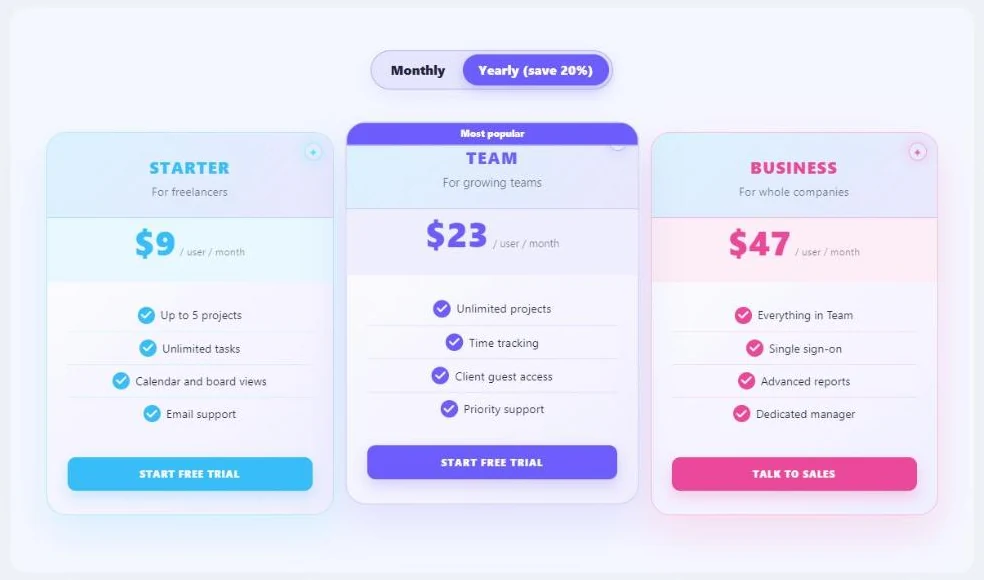
Why it works: the switch shows the yearly saving right in the label (“save 20%”), and the prices change in place, so visitors compare without doing maths. “Start free trial” lowers the risk of the first click, and the Business plan sends bigger buyers to sales.
Build it: Software or app plans, the “Most popular” badge and the Monthly and yearly switcher (Pro).
See it live: SaaS pricing table with a monthly and yearly switch.
2. Agency or services: packages per project
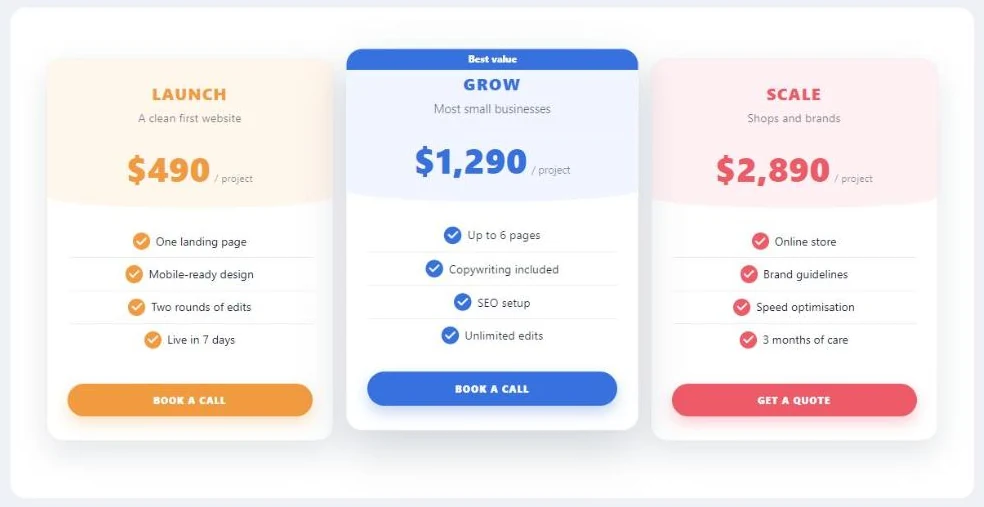
Why it works: each package says who it suits (“Most small businesses”) and what is delivered, including the timeline. The top package makes the middle one look like the smart choice, and “Book a call” fits a service that starts with a conversation.
See it live: agency pricing packages table.
3. Gym membership: bold and energetic
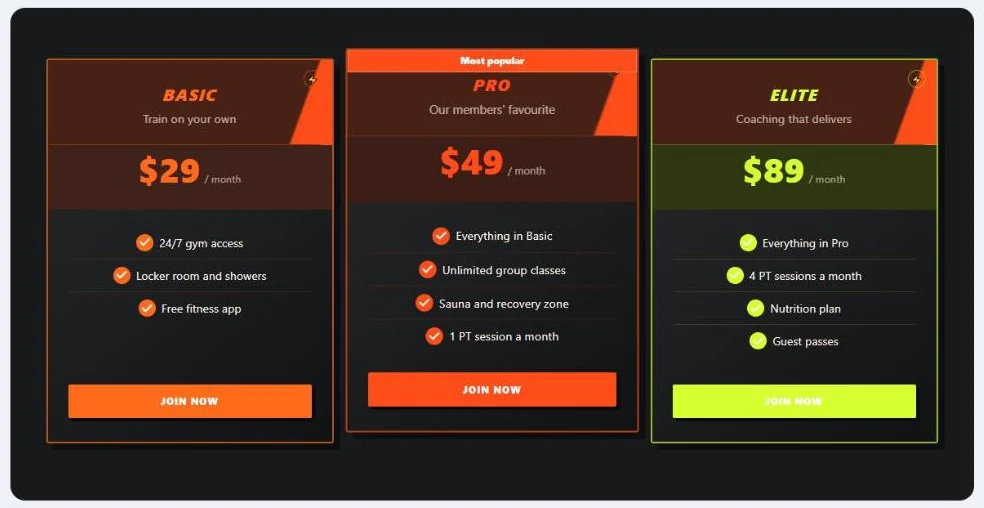
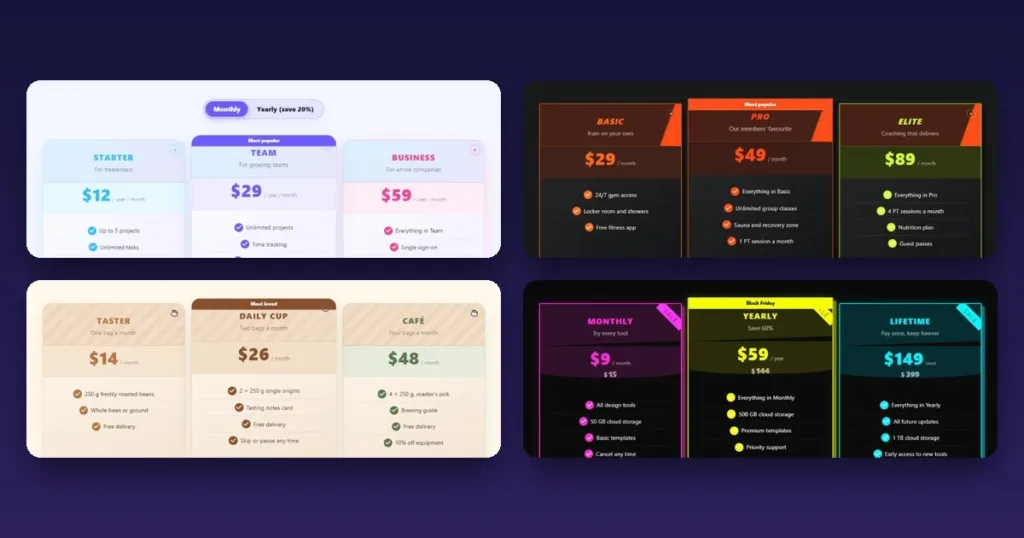
Why it works: the dark design matches the brand, and each tier adds something people can picture: classes, the sauna, personal training sessions. “Our members’ favourite” is social proof in three words.
4. Coffee subscription: a warm, crafted look
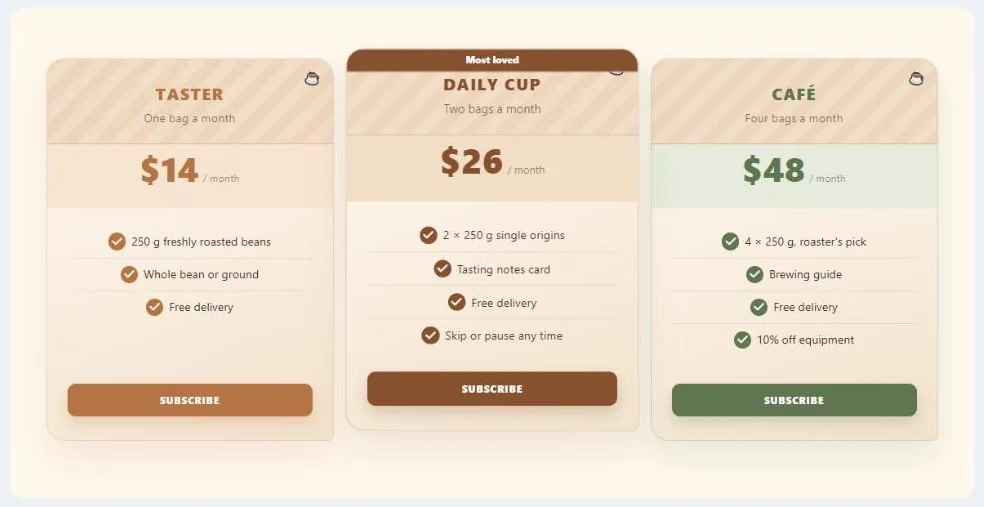
Why it works: plans are named after how people drink coffee, not after sizes, and “Skip or pause any time” removes the fear of a subscription. The textured header looks like a café menu.
See it live: coffee club subscription pricing table.
5. Online course: one-time prices
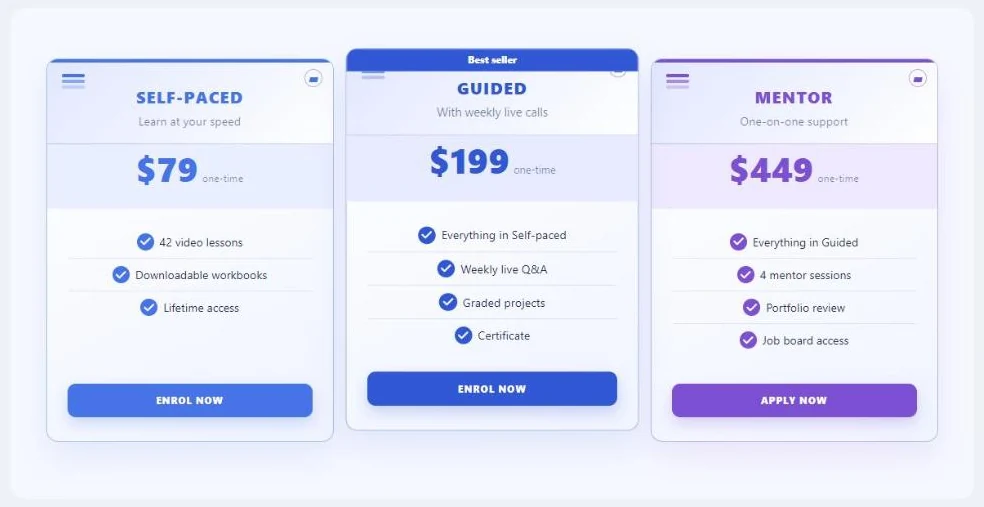
Why it works: the levels differ by how much help you get, which is what learners care about. “One-time” next to the price answers the first question before it is asked.
6. Yoga studio: passes that make the middle option obvious
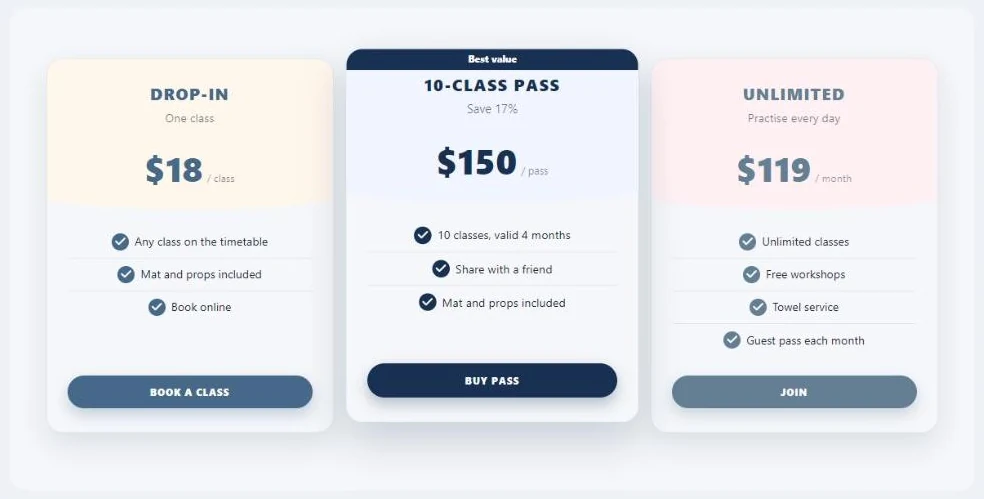
Why it works: each card has its own unit (per class, per pass, per month), so very different offers sit side by side. “Save 17%” under the pass name does the maths for the visitor.
7. Catering: prices per guest
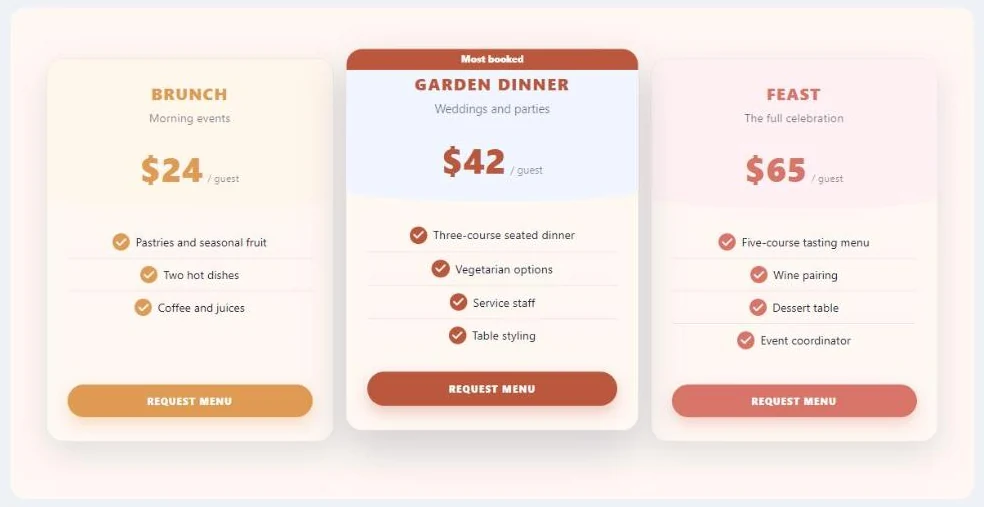
Why it works: a price per guest is easy to multiply, and each menu is tied to an occasion (morning events, weddings, the full celebration). “Request menu” starts the conversation instead of asking for money upfront.
8. Travel packages: holidays at a glance
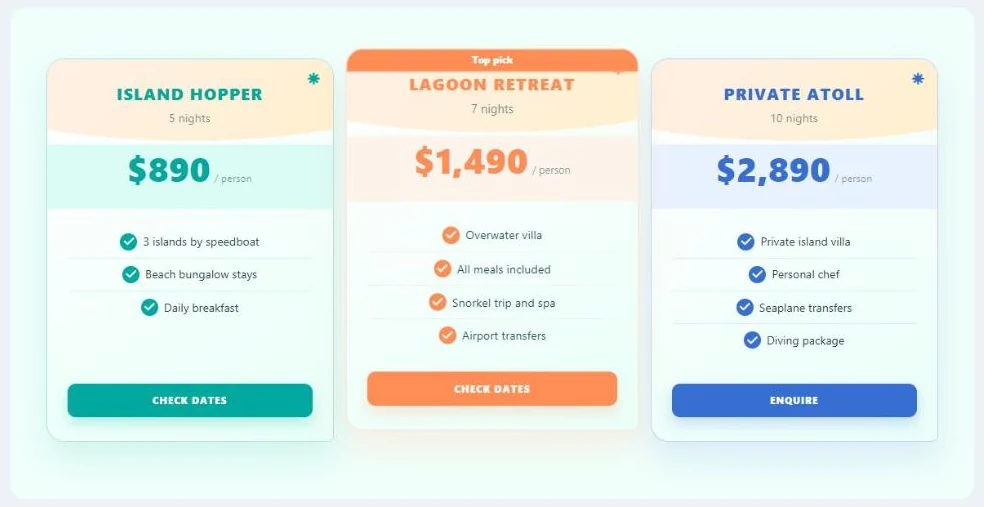
Why it works: the number of nights sits under each package name, and the features read like a trip itinerary. “Check dates” is a softer first step than “Book”.
9. Black Friday sale: crossed-out prices and a countdown
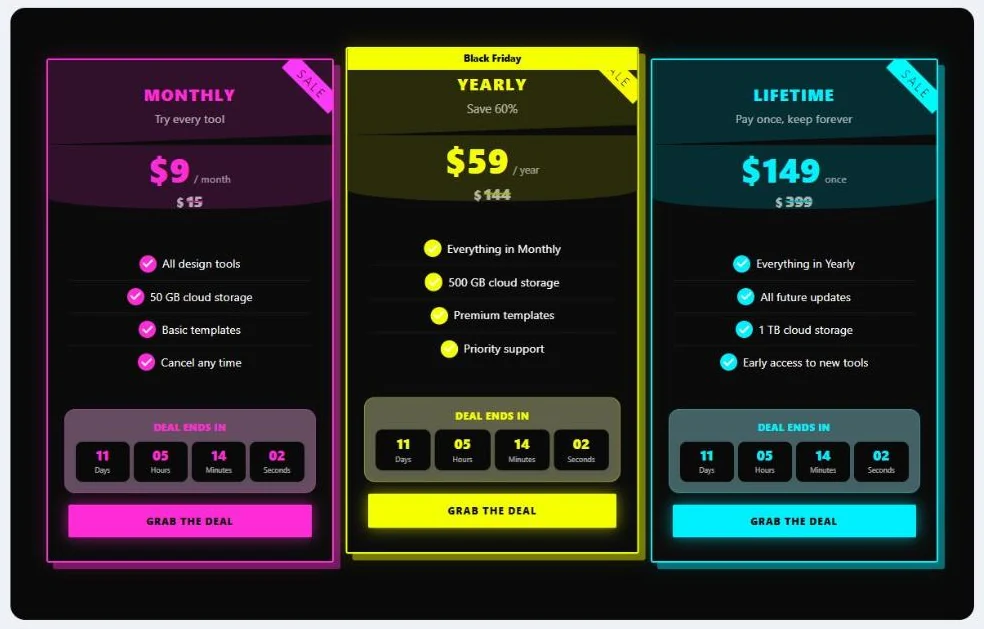
Why it works: the old price under the new one shows the saving at a glance, and the countdown gives a real reason to decide today. The neon theme looks like a sale from a distance.
Build it: drag the Cross price and Countdown blocks into the cards. The countdown can run to a date (the end of the sale) or for a set time after each visit.
See it live: Black Friday pricing table with a countdown.
10. Developer API: a free tier that leads to paid
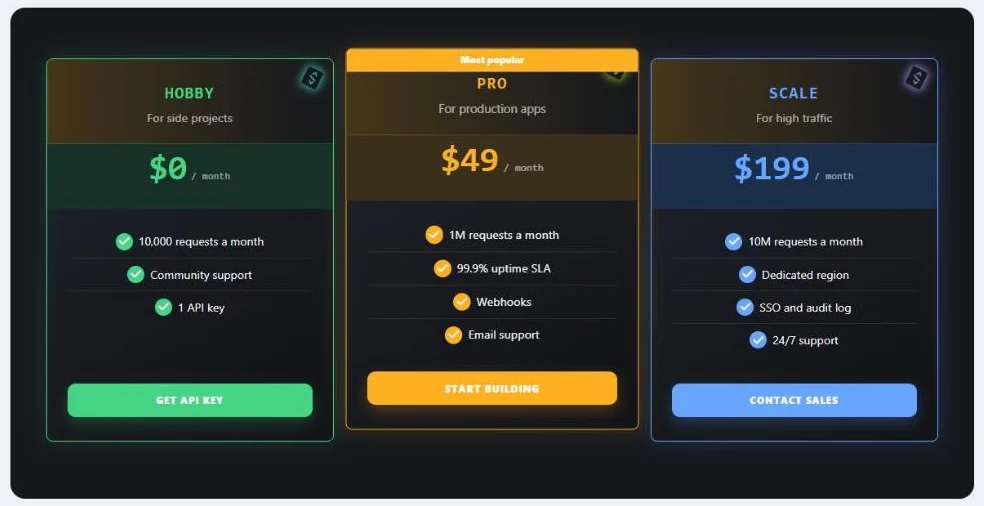
Why it works: a $0 plan gets developers in, and the request limits on each card show exactly when it is time to upgrade. The code-style type and the dark theme feel at home on a developer site.
How to build a pricing table in WordPress for free
All ten examples were made with the same wizard in Data Tables. It takes about a minute.
- Install Data Tables Generator by Supsystic from Plugins → Add New Plugin (search for “Data Tables Generator”) or download it here.
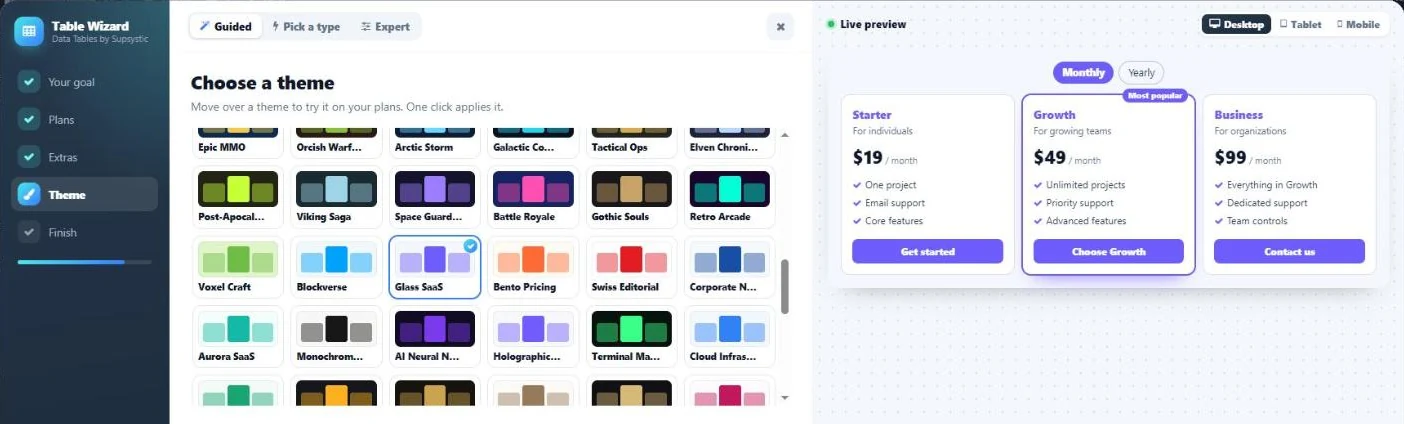
- Open Data Tables by Supsystic → Add new table and pick Pricing plans.
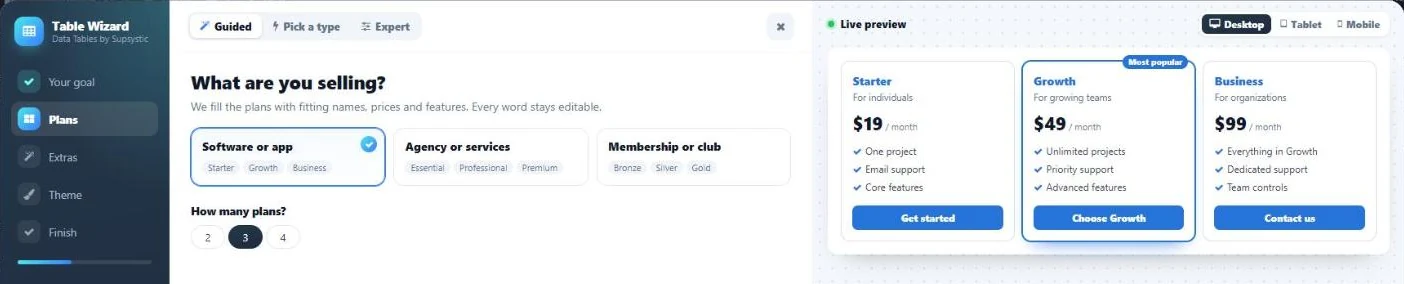
- Choose what you sell: software or app, agency or services, or membership or club. The wizard fills in plan names, prices and features that you can change later, and you pick two, three or four plans.
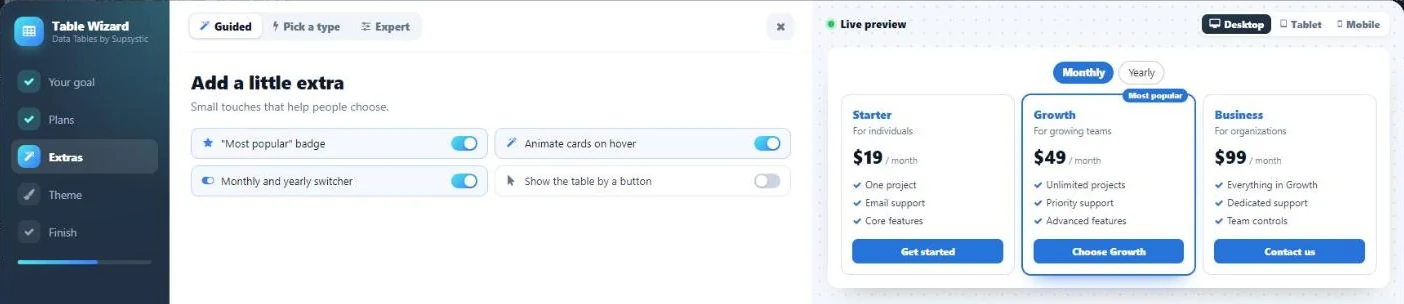
- Add the extras: the “Most popular” badge, cards that lift on hover, the monthly and yearly switcher (Pro) and showing the table by a button (Pro).
- Choose a theme. Three themes are free (Classic, Minimal and Warm), and Pro adds 100+ more: SaaS, seasonal sales, restaurants, travel, fitness, gaming and more.
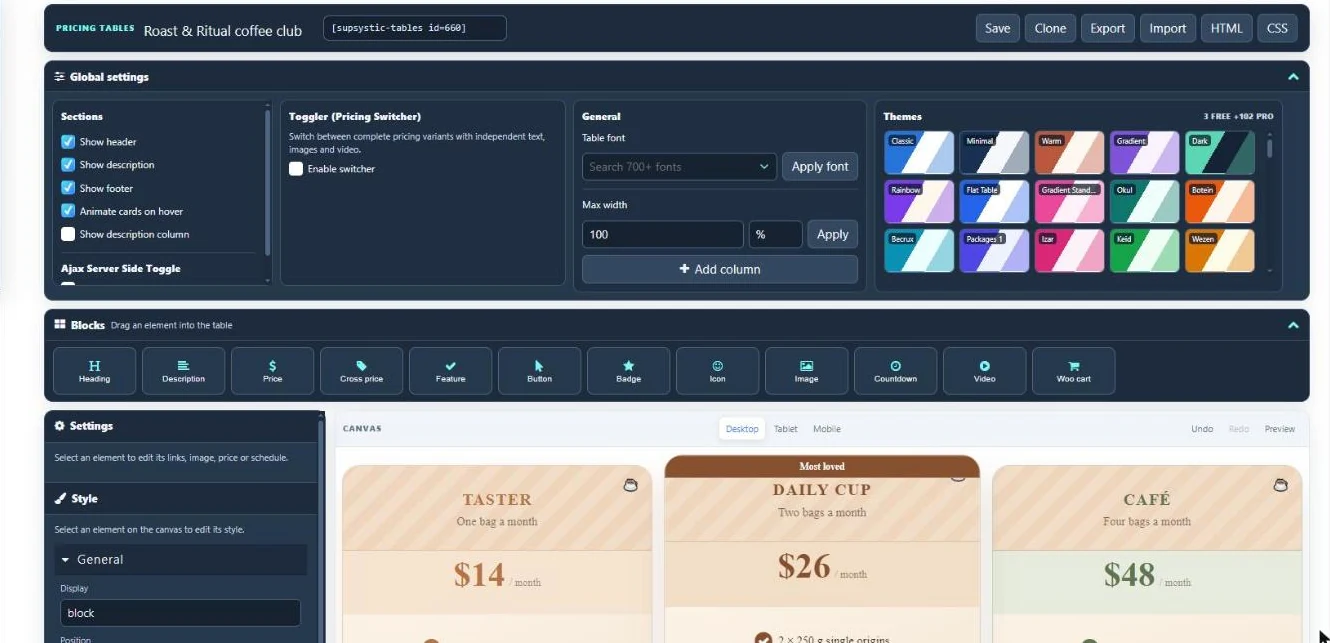
- Edit the cards in the visual editor: click any text to change it, drag in blocks such as a price, a crossed-out price, a badge, an icon, an image, a countdown, a video or a WooCommerce add-to-cart button, and switch themes at any time.
- Add the table to a page with the Data Tables by Supsystic block, the Elementor widget or the shortcode, for example
[supsystic-tables id=660].
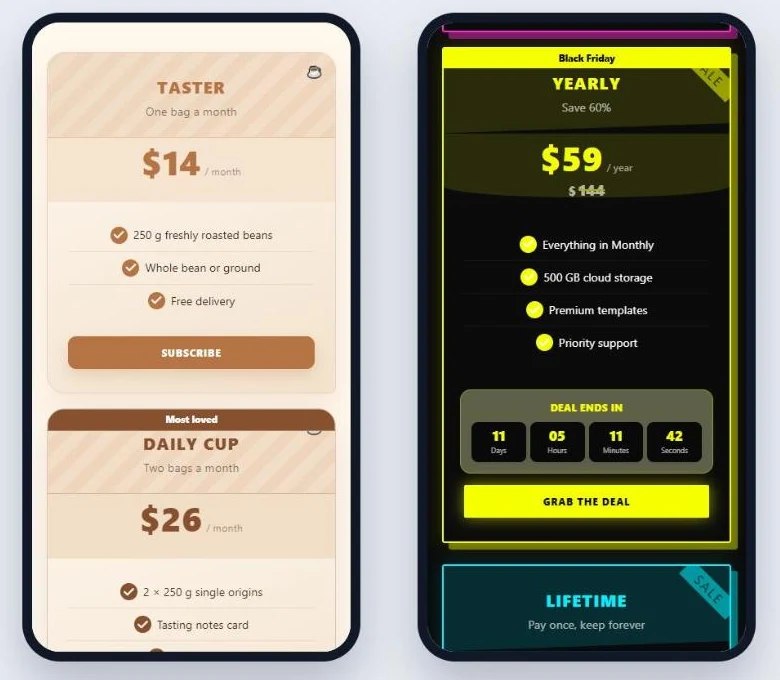
Pricing tables on phones
Every theme stacks the cards on small screens, so the plans stay readable and the buttons are easy to tap. The editor has desktop, tablet and mobile views, so you can check each one before you publish.
Free and Pro
Free: the pricing table wizard, plan cards, badges, feature lists, buttons, crossed-out prices, countdowns, icons, images, video, WooCommerce add-to-cart buttons, hover animation, three themes, the visual editor with HTML and CSS, the block, the Elementor widget and the shortcode.
Pro adds 100+ more themes, the monthly and yearly switcher (or any other versions of your prices), showing the table by a button, and dates that show or hide a plan on schedule, for example a sale plan that disappears when the sale ends. See the plans.
FAQ
What should a pricing table include?
Plan names, who each plan is for, the price with its billing period, a short list of what is included and one button per plan. Mark the plan you want most people to pick.
How many plans should a pricing table have?
Three is the most common choice: a starter plan, a highlighted middle plan and a top plan. Two plans work for simple offers, and a fourth plan can handle custom or enterprise deals.
Can I show monthly and yearly prices?
Yes. Data Tables Pro adds a switcher, and each option can have its own prices and texts.
Can the buttons add products to the WooCommerce cart?
Yes. The Woo cart block adds one or more WooCommerce products to the cart, with an optional coupon and redirect.
Can I change the design after I pick a theme?
Yes. Switch the theme in the editor at any time, or change colors, fonts, spacing and borders of any element in the Style panel.
Build your pricing table
Data Tables Generator by Supsystic is free on WordPress.org and is used on 19,000+ sites. Pick a kind of plans, a theme and the extras, and your pricing table is ready in a minute.
Download Data Tables free | See Pro plans | Pricing tables in Data Tables
More: Data Tables overview · Add a table in Elementor · Create a league table · Data table examples · All free plugins