A live Data Tables Generator example: everything below runs on the real plugin, right on this page.
A restaurant menu as a table: dishes with photos, descriptions and prices in the warm Espresso design from the Earth collection. Guests can search for a dish or sort by price. Built with the table wizard of Data Tables Generator by Supsystic. Dishes and prices are made up for the demo.
| Dish | Category | Description | Price |
|---|---|---|---|
 Garlic Mushrooms | Starters | Shimeji mushrooms, garlic butter, parsley | 9 |
 Spaghetti Pomodoro | Mains | San Marzano tomatoes, basil, olive oil | 16 |
 Wild Mushroom Pizza | Mains | Porcini, mozzarella, thyme | 18 |
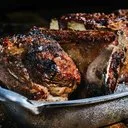 Grilled Lamb Chops | Mains | Rosemary, garlic, pan juices | 26 |
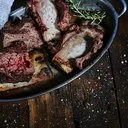 Ribeye Steak | Mains | Dry-aged ribeye, rosemary, sea salt | 34 |
 Raspberry Bombe | Desserts | Raspberry mousse, white chocolate, sugar dust | 9.5 |
 Blackberry Layer Cake | Desserts | Vanilla sponge, blackberries, cream | 8.5 |
Free and Pro: the wizard, search, sorting and five designs are free. Espresso is one of 100+ Pro designs.
Excel-like, WooCommerce and pricing tables. Everything in this example works in the free version or in Pro.
