
1. Open needed table
2. Go to Editors tab and select the area you need
3. Click create Diagram button and choose diagram type
4. Select Settings Tab and find Remove Data field
5. Insert there: 1c – to remove 1st column from the diagram
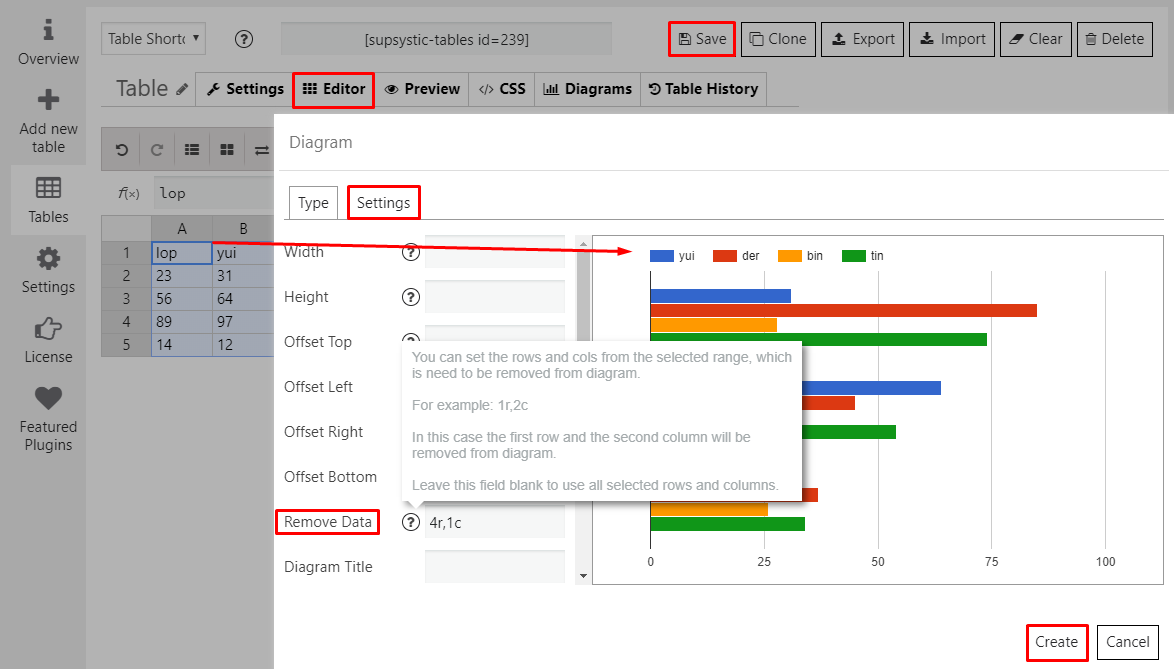
6. Adjust other diagram appearance and click Create
7. Save changes you made to finish creating